> For the complete documentation index, see [llms.txt](https://docs.nftbutler.io/nft-butler/llms.txt). Markdown versions of documentation pages are available by appending `.md` to page URLs; this page is available as [Markdown](https://docs.nftbutler.io/nft-butler/features/polygon-bidding.md).

# Polygon Bidding

Features

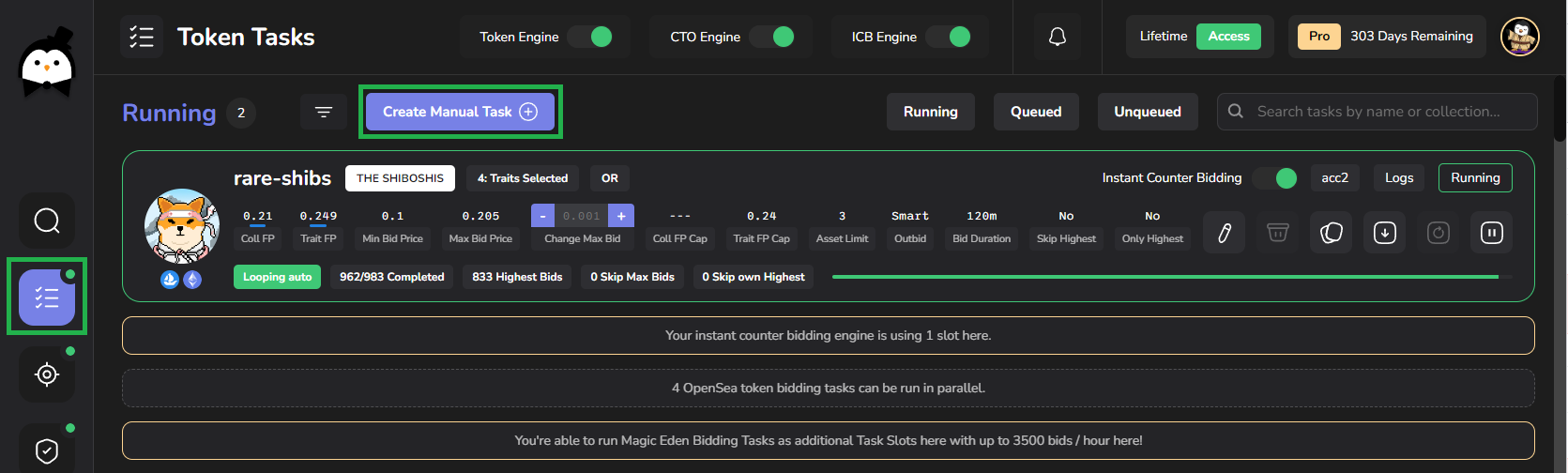
* [x] Trait Bidding, Collection Bidding, Token Bidding, Manual Token Bidding
* [x] Looping & Outbidding competition
* [x] [Instant Counter bidding](/nft-butler/features/instant-counter-bidding.md)
* [x] Relativ Bidding to floor price or fixed WETH bidding
* [x] Collection & Trait floor price protection
* [x] Up to 9000 bids / hour using all 6 Token Task slots
* [x] [Security Features](/nft-butler/setup/security-features.md)
* [x] [Auto Listing ](/nft-butler/features/bidding-and-autolisting.md)config on Bidding Task
* [x] [Auto Listing Engine](/nft-butler/features/auto-listing-engine.md)

<figure><img src="/files/iYQD5uRRhL5YrSOqfTfB" alt=""><figcaption><p>Creating a Token Bidding Task for Sunflower Land Buds on Polygon</p></figcaption></figure>

## Requirements for Polygon Bidding

{% hint style="info" %}
In order to create and run Polygon Bidding task each User will need the Butler Basic Access ([Subscription or Lifetime NFT](/nft-butler/nft-butler/getting-started/get-access.md)) as well as the [PRO Access](/nft-butler/products-and-services/pro-access.md) on top.

Further you're wallet needs to hold [WETH](#convert-eth-mainnet-to-polygon-weth) on Polygon Chain as bidding currency.
{% endhint %}

## How does Polygon Bidding work?

Bidding on Polygon collections via OpenSea is pretty much the same as bidding on Ethereum collections. However there are still a few points to note which will also very likely change soon:

* Wallets overview will not show Polygon WETH balances.
* For bidding and listing on OpenSea on Polygon they are always using Polygon WETH to do so (insead of using ETH and WETH).
* Bidding tasks cannot check how much funds are available in your bidding wallet. Therefore it will always try to bid up to your max bid price settings. Bids will fail if bidding funds are insufficient.
* Approvals for Listing automation have to be done manually on each Collection first. Otherwise Auto Listing tasks will fail to send listing orders.

All other Features are supported same as on Ethereum Collections:

* Adding collections to Search engine
* [Instant Counter Bidding](/nft-butler/features/instant-counter-bidding.md)
* [Collection Trait Offer Tasks](/nft-butler/task-types/collection-trait-bidding-cto.md)
* [Token bidding Tasks](/nft-butler/task-types/token-bidding.md) / [Manual Bidding tasks](/nft-butler/task-types/manual-token-id-bidding.md)
* [Performance Overview](/nft-butler/features/performance-overview.md) / Flips / Notifications and Inventory
* [Security Features](/nft-butler/setup/security-features.md)
* [Auto Listing ](/nft-butler/features/bidding-and-autolisting.md)config on Bidding Task
* [Auto Listing Engine](/nft-butler/features/auto-listing-engine.md)

## Convert ETH (mainnet) to Polygon WETH

In order to be able to bid with WETH on Polygon, you'll have to birdge some of your mainnet ETH to the Polygon chain first.

* The simplest way to bridge tokens between ETH mainnet and Polygon is through OS2:\
  <https://opensea.io/token/ethereum?toChain=polygon&toAddress=0x7ceb23fd6bc0add59e62ac25578270cff1b9f619>

<figure><img src="/files/h8sUJn2qoNskdQlzF3Qj" alt=""><figcaption><p>Swapping mainnet ETH to Polygon WETH</p></figcaption></figure>

{% hint style="info" %}
Swapping from ETH Mainnet to Polygon chain can take a few minutes until you're actually receive your new WETH on Polygon.
{% endhint %}

* After briding your funds from Ethereum mainnet to Polygon, you'll also have to perform a **manual bid on OpenSea**. Otherwise tasks with Butler will fail due to missing WETH approvals. For this approval a little bit of POL (Polygon main currency) is required.

{% hint style="info" %}
Butler will **not show your WETH Balance** on the Dashboard or Wallets Overview.

Also Tasks will not be able to check in advance how much WETH is available in your Wallet. Butler will simply fire your bids and if your balance is not high enough the bids will be rejected.
{% endhint %}

## Create Search Engine Task

{% hint style="info" %}
If you don't find your favorite Polygon collection on the Butler search engine, feel free to [add](/nft-butler/setup/add-collection-to-butler.md) it with the Button on top of the search engine.

[PRO Members](/nft-butler/products-and-services/pro-access.md) can also add collections privately (not shared with everyone else) until it gets added by a non PRO Member.

With the Blockchain Filtering option you can filter the collections based on Blockchain as shown below.
{% endhint %}

<figure><img src="/files/MtFwCt0asPkfYb7XDPdY" alt=""><figcaption></figcaption></figure>

The above screenshot shows available Polygon collections filtered by Blockchain on the left. The available buttons will provide the following features:

* 1st Button "Show all Traits": Drilldown into the Traits view of the collection to create trait based bidding tasks
* 2nd Button "Check Collection Stats": Will provide a collection floor price graph for OpenSea (up to 2 months) as well as top Collection Bids and the last Sales events.
* 3rd Button "Create Collection CTO": With this button you can create a [Collection Bidding Task](/nft-butler/task-types/collection-trait-bidding-cto.md)
* 4th Button "Create Token Task": Here you can create a [Token Bidding Task](/nft-butler/task-types/token-bidding.md)

## Create Manual bidding Task

Token bidding tasks can also be created as[ Manual Task](/nft-butler/task-types/manual-token-id-bidding.md) providing the collection link, smart contract and a list of token ids:

<figure><img src="/files/N5HtS4tUSLKkQJh1akmb" alt=""><figcaption><p>Create Manual Token Bidding Task</p></figcaption></figure>

### Marketplace & Blockchain

With the required[ PRO Access](/nft-butler/products-and-services/pro-access.md) you can choose the target Blockchain to "Polygon" on OpenSea:

<figure><img src="/files/JMOpdJbUk0EIvnRe2tpb" alt=""><figcaption><p>Creating Manuel Token Task on Polygon</p></figcaption></figure>

* To create your first Polygon Bidding Task you'll have to copy & past the Link to the Collection in Butler and fill the "Token IDs range" field with a list of Token IDs you'd like to bid on
* To support finding all Token IDs of a specific Trait we have two very usefull Community Bot features availbe for Members in our Discord:\
  [/traits](/nft-butler/products-and-services/discord-bot/traits.md)\
  [/tokenscan](/nft-butler/products-and-services/discord-bot/tokenscan.md)

{% hint style="info" %}
Make sure to "Fetch Data" once you've copied the Link to the collection. It will fetch Collection Stats and Last Sales information on the left side.
{% endhint %}

<figure><img src="/files/b4cnNOUxjhpBmAHM9MUx" alt=""><figcaption><p>Creating a manual Polygon Bidding task and fetching Data</p></figcaption></figure>

* For all the Manual token task configuration options please refer to [Manual Token Bidding Page](/nft-butler/task-types/manual-token-id-bidding.md)

## Dashboard & Wallt Details

* Bidding Activity will be shown as usual on the [Dashboard Overview](/nft-butler/features/dashboard.md)
* Target link will link to OpenSea as usual
* Wallet percentage for the WETH limits are not taking Polygon bids into account
* Wallet Details will show active bids on Polygon

<figure><img src="/files/1ADzZiz3FyyUa7CkJ4cA" alt=""><figcaption><p>Butler Dashboard will show live bidding activity for Polygon bids. Wallet percentag only showing WETH bidding ratio.</p></figcaption></figure>

{% hint style="info" %}
Butler will **not show your Polygon WETH Balance** on the Dashboard or Wallet Details here.

Also Tasks will not be able to check in advance how much WETH are available in your Wallet. Butler will simply fire your bids and if your balance is not high enough, bids will be rejected.
{% endhint %}


---

# Agent Instructions
This documentation is published with GitBook. GitBook is the documentation platform designed so that both humans and AI agents can read, navigate, and reason over technical content effectively. Learn more at gitbook.com.

## Querying This Documentation
If you need additional information that is not directly available in this page, you can query the documentation dynamically by asking a question.

Perform an HTTP GET request on the current page URL with the `ask` query parameter:

```
GET https://docs.nftbutler.io/nft-butler/features/polygon-bidding.md?ask=<question>
```

The question should be specific, self-contained, and written in natural language.
The response will contain a direct answer to the question and relevant excerpts and sources from the documentation.

Use this mechanism when the answer is not explicitly present in the current page, you need clarification or additional context, or you want to retrieve related documentation sections.