🏹Robinhood Bidding

Requirements for Robinhood Bidding
How does Robinhood Bidding work?
Convert ETH (mainnet) to Robinhood WETH

Create Search Engine Task

Create Manual bidding Task

Marketplace & Blockchain


Dashboard & Wallt Details

Last updated
Features

In order to create and run Robinhood Bidding task each User will need the Butler Basic Access (Subscription or Lifetime NFT) as well as the PRO Access on top.
Further you're wallet needs to hold WETH on Robinhood Chain as bidding currency.
Bidding on Robinhood collections via OpenSea is pretty much the same as bidding on Ethereum collections. However there are still a few points to note which will also very likely change soon:
Wallets overview will not show Robinhood WETH balances.
Bidding tasks cannot check how much funds are available in your bidding wallet. Therefore it will always try to bid up to your max bid price settings. Bids will fail if bidding funds are insufficient.
Approvals for Listing automation have to be done manually on each Collection first. Otherwise Auto Listing tasks will fail to send listing orders.
All other Features are supported same as on Ethereum Collections:
Adding collections to Search engine
Performance Overview / Flips / Notifications and Inventory
Auto Listing config on Bidding Task(s)
In order to be able to bid with WETH on Robinhood, you'll have to birdge some of your mainnet ETH to the Robinhood chain first.
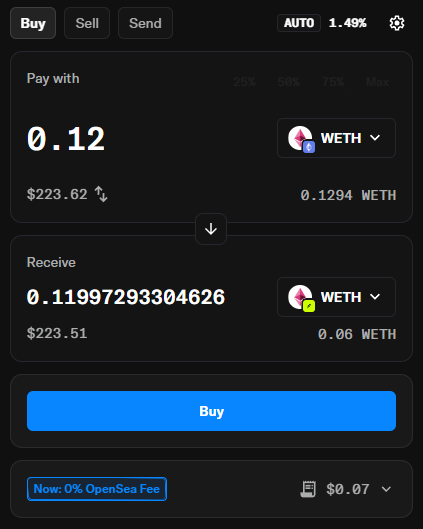
The simplest way to bridge tokens between ETH mainnet and Robinhood is through OS2:

Swapping from ETH Mainnet to Robinhood chain can take a few minutes until you're actually receive your new WETH on Robinhood.
After briding your funds from Ethereum mainnet to Robinhood, you'll also have to perform a manual bid on OpenSea. Otherwise tasks with Butler will fail due to missing WETH approvals.
Butler will not show your WETH Balance on the Dashboard or Wallets Overview.
Also Tasks will not be able to check in advance how much WETH is available in your Wallet. Butler will simply fire your bids and if your balance is not high enough the bids will be rejected.
If you don't find your favorite Robinhood collection on the Butler search engine, feel free to add it with the Button on top of the search engine.
PRO Members can also add collections privately (not shared with everyone else) until it gets added by a non PRO Member.
With the Blockchain Filtering option you can filter the collections based on Blockchain as shown below.

The above screenshot shows available Robinhood collections filtered by Blockchain on the left side filtering menu.
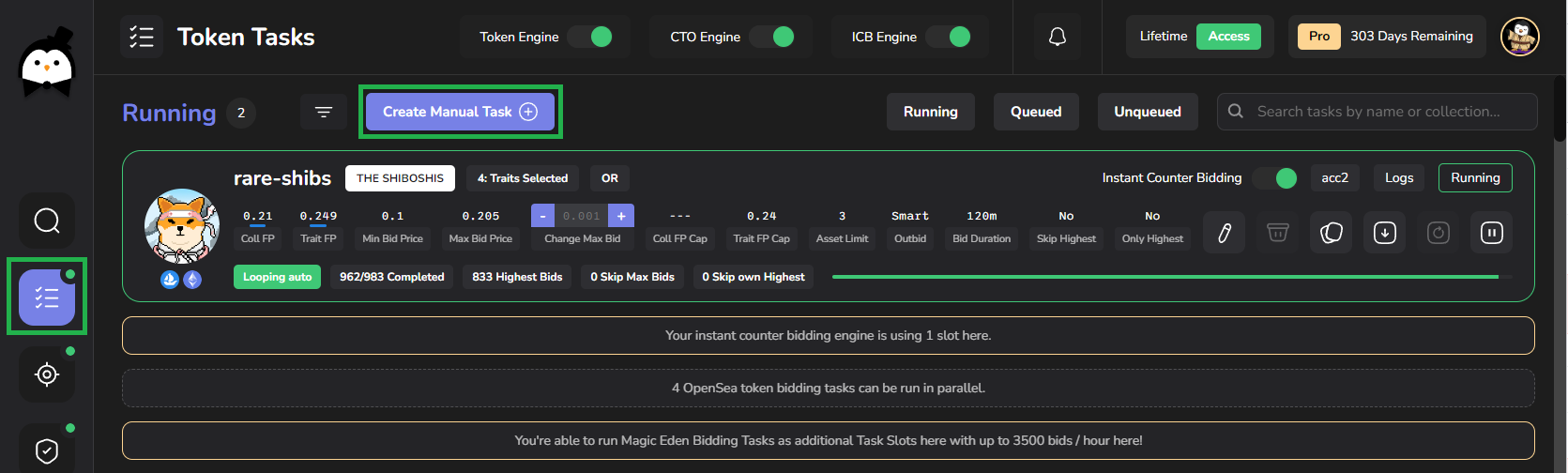
Token bidding tasks can also be created as Manual Task providing the collection link, smart contract and a list of token ids:

With the required PRO Access you can choose the target Blockchain to "Robinhood" on OpenSea:

To create your first Robinhood Bidding Task you'll have to copy & past the Link to the Collection in Butler and fill the "Token IDs range" field with a list of Token IDs you'd like to bid on
To support finding all Token IDs of a specific Trait we have two very usefull Community Bot features availbe for Members in our Discord: /traits /tokenscan
Make sure to "Fetch Data" once you've copied the Link to the collection. It will fetch Collection Stats and Last Sales information on the left side.

For all the Manual token task configuration options please refer to Manual Token Bidding Page
Bidding Activity will be shown as usual on the Dashboard Overview
Target link will link to OpenSea as usual
Wallet percentage for the WETH limits are not taking Robinhood bids into account
Wallet Details will show active bids on Robinhood

Butler will not show your Robinhood WETH Balance on the Dashboard or Wallet Details here.
Also Tasks will not be able to check in advance how much WETH are available in your Wallet. Butler will simply fire your bids and if your balance is not high enough, bids will be rejected.
Last updated